A charger's display tells you when the pack is full. The DBB shows the current going in, the charger's temperature, and the voltage of every cell as the pack fills and balances. Every charge is saved on the device, and it's your data on the device, never in the cloud.
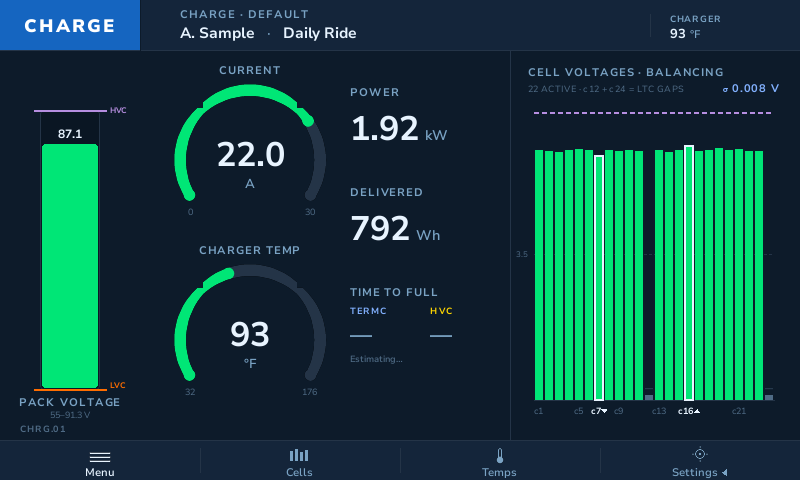
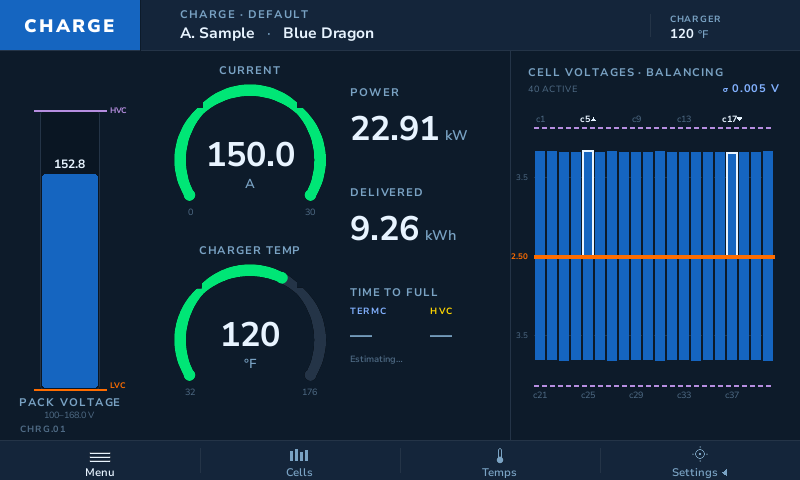
CHRG.01 · demo charge Current, power, energy in and charger temperature on the left, every cell on the right.
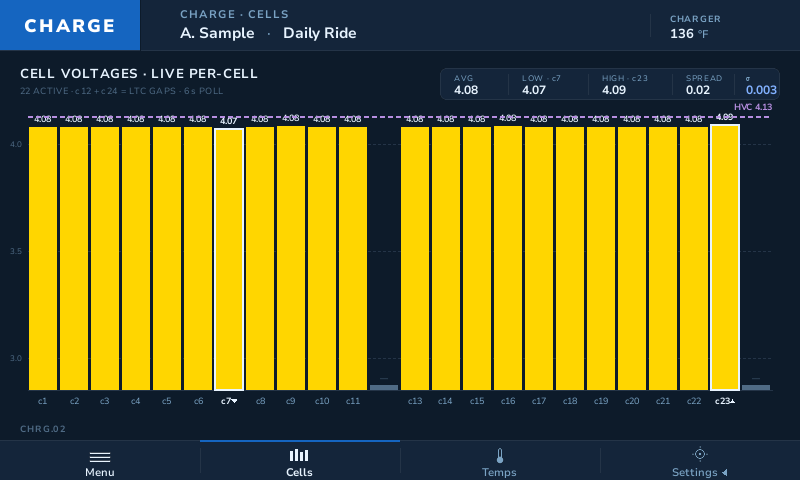
A live bar for each cell, with the lowest and highest marked and the spread across the pack. Cells close to the high-voltage cutoff change color before anything trips.
Current, power, watt-hours delivered and the charger's own temperature, read from the charge controller while the BMS reports the cells.
Every pack thermistor and the air around the pack, so a warm corner shows up while the charge is still running.
An estimate once the charge settles, with the termination current and the cutoff on the same screen.
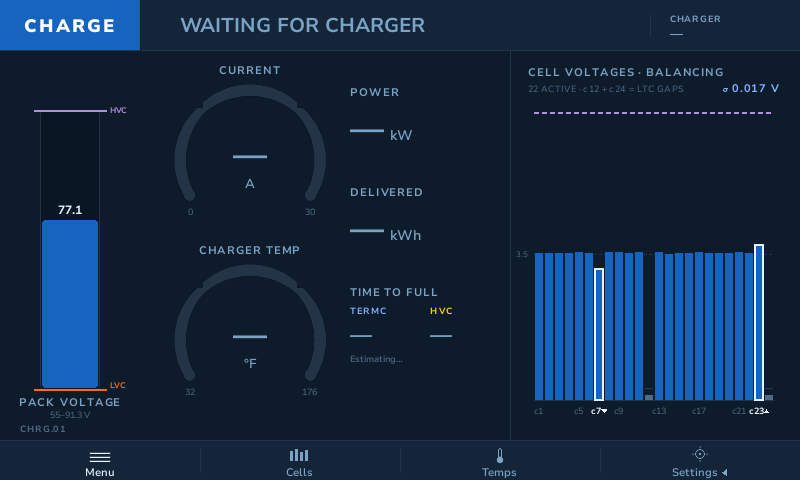
Leave the pack plugged in with the DBB powered and it waits. When the charger wakes the BMS, the DBB finds the BMS and charger and starts recording without a tap.
Walk away, and read the whole charge when you get back.
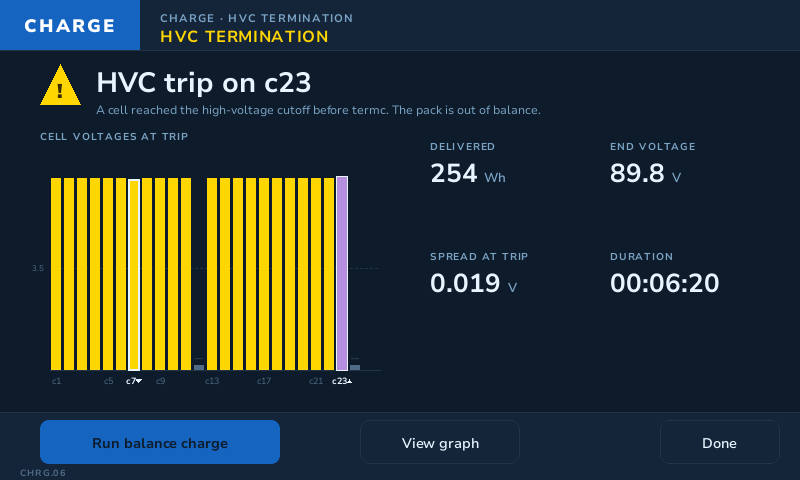
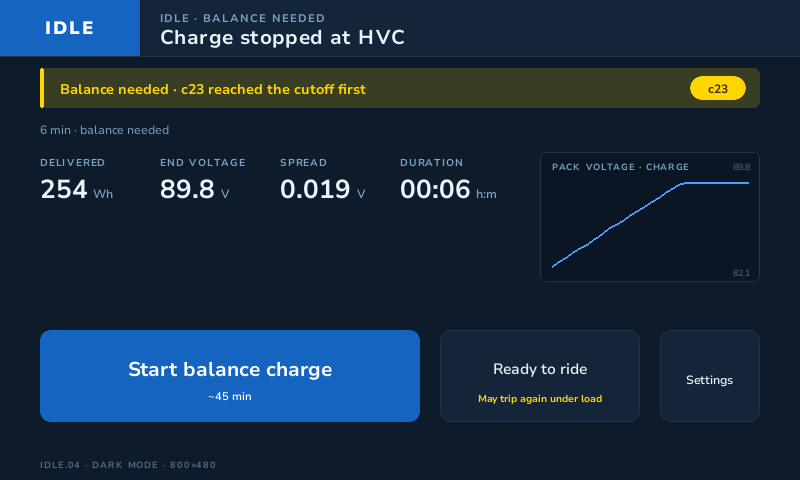
If one cell reaches the high-voltage cutoff before the rest, the charge stops and the DBB tells you which cell, the energy that went in, the end voltage and how far apart the cells were. The next time you look, the idle screen says the pack needs a balance.
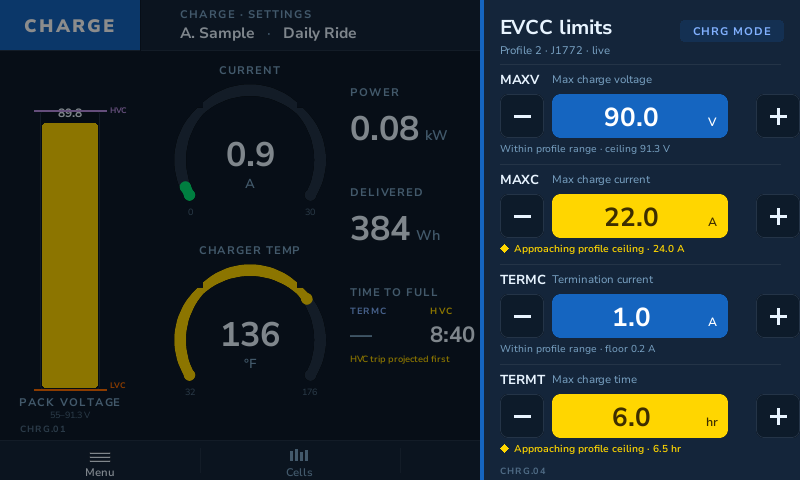
Max voltage, max current, termination current and the charge time limit can be changed from the touchscreen during the charge.
Each value stays inside the bounds set for your pack, and the screen warns you as you get close to the profile limit. You don't need a laptop or a serial terminal.
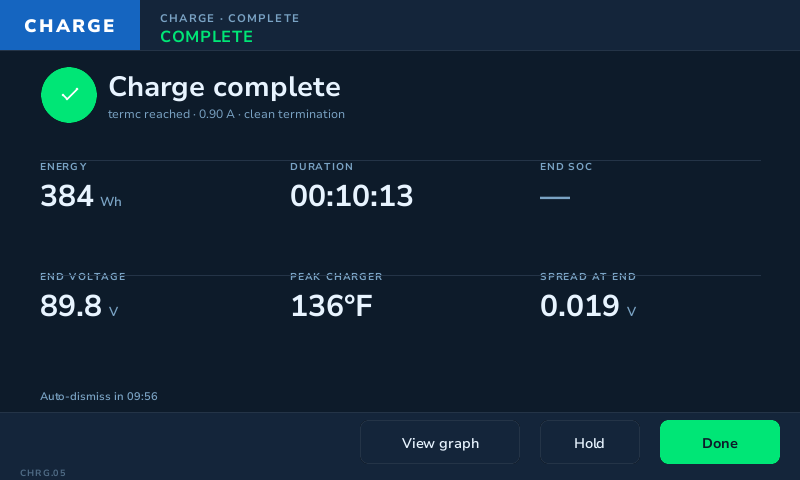
When the charge ends you get a summary: energy in, time, end voltage, peak charger temperature and the spread between cells. Open the graph to see every cell and every thermistor across the whole charge, and compare it with last week's in Review. Sessions copy to a USB stick as CSV.
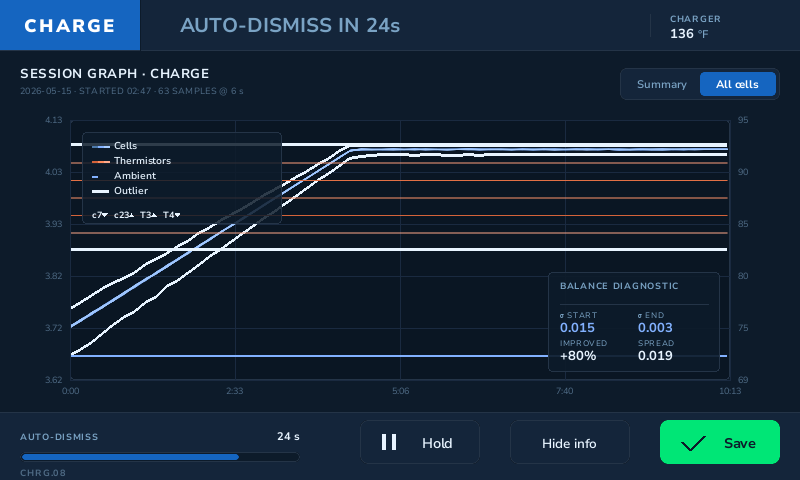
Packs over 24 cells split into two rows, so a 40-cell pack still fits on one screen.
DEMO mode plays three synthetic charges through the real screens, from a garage trickle charge to a DC fast charge, so you can learn the device before it's wired to anything.
It reads, displays and logs, and where the charge controller allows it, it sets the limits you ask for, within bounds. It doesn't replace the BMS, and it isn't a safety system.
The DBB works with many popular BMS, charge management and EV drive systems, with more integrations being finalized. Tell us your system on the form below and we'll tell you where it stands.
No. Everything happens on the touchscreen, and the data stays on the device until you copy it to a USB stick.
We built it for electric motorcycles, and that's where it's used most. See what it does on the road. The charge screens work the same for any pack the DBB can read.
Early-release tester units are planned at $699. Everyone on the waitlist saves $99, whichever DBB they choose: an early-release tester unit now, or DBB Lite, Full, Pro or Desktop when they're released. Tell us what you're charging, and we'll keep you posted as units go out.
